
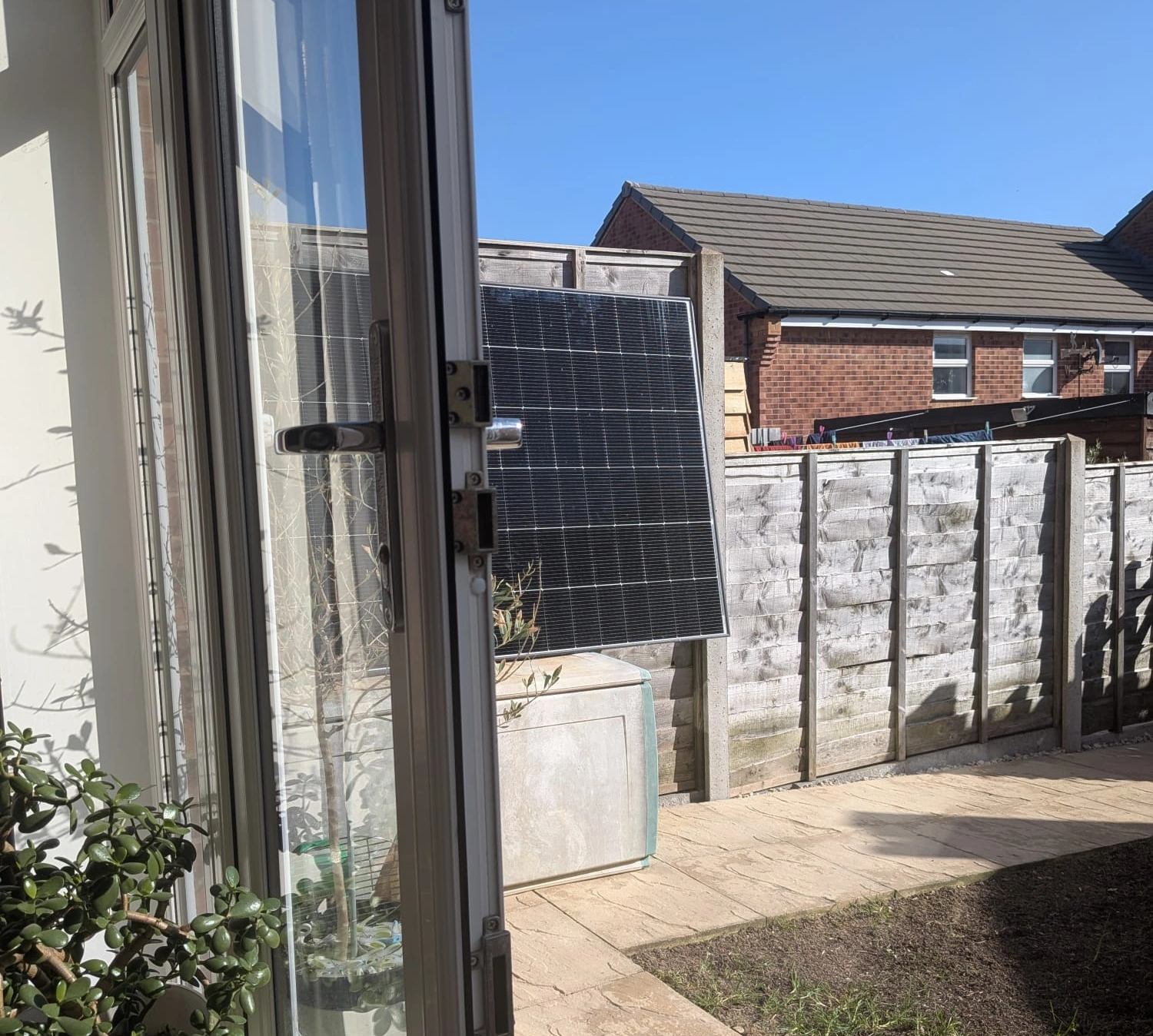
What I bought and what I paid
I picked up the EcoFlow STREAM Microinverter in a recent EcoFlow sale for £91, with 4% cashback through TopCashback on top of that. I paired it with two 450W bifacial JA Solar panels that I got second-hand for £50 each. So the whole setup — microinverter plus two panels — came in at under £200. That's pretty hard to beat for an 800W solar system.
A note on the panels: the reason my 450W panels were so cheap is that they were second-hand and came with no warranty. If you'd rather buy new with a proper warranty, EcoFlow sells a bundle with the STREAM Microinverter and two 400W panels on Amazon — a simpler all-in-one option if you don't want to piece things together yourself.
What the STREAM Microinverter actually does
In simple terms: it takes the DC power your solar panels generate and converts it into AC power that your house can use. It feeds that power straight into your home through a plug or hardwired connection. Your appliances use the solar power first, and you draw less from the grid. Your electricity meter just ticks over slower.
It kicks in at just 3W of solar input, so it starts generating useful power from early morning light — not just when the sun is blazing at midday.
What you need to know before you start
- WiFi must be 2.4GHz. The STREAM only connects to 2.4GHz WiFi networks. If your router broadcasts a combined 2.4/5GHz network, you may need to split them or temporarily disable 5GHz during setup. This catches a lot of people out — check this before you start.
- You need the EcoFlow app. Download it before you begin. You'll use it to connect the microinverter to your WiFi and to monitor how much power you're generating.
- MC4 connectors. The panels connect to the microinverter using standard MC4 solar connectors. Most panels come with these already attached.
How I set it up (step by step)

I followed the official EcoFlow STREAM manual and honestly, the whole thing was straightforward. Here's what I did:
1. Positioned the panels
I set up my two JA Solar 450W bifacial panels where they'd get the best sun. Bifacial panels are nice because they pick up reflected light on the back side too, so you get a bit of extra output even if they're not in a perfect spot. They work great if you ground mount them.
2. Connected the panels to the microinverter
Each panel connects to the STREAM via MC4 cables — one panel per PV input. You just click the connectors together. Positive to positive, negative to negative. It's the same as plugging in a garden hose, basically. The manual has clear diagrams showing which port is which.
3. Mounted the microinverter
The STREAM is IP67 rated, so it's fine outdoors in the rain. I mounted it behind the panels. It's heavier than you'd expect, which is actually reassuring — it feels well built. Make sure it's somewhere you can reach for the initial setup.
4. Connected the power cable
5. Powered it on and connected the app
Once everything was plugged in, I opened the EcoFlow app, added the STREAM Microinverter as a new device, and connected it to my 2.4GHz WiFi. The app walked me through it. Took about two minutes. Once set up and in the sun it was immediately generating power. After that, I could see real-time generation data on my phone — how many watts the panels were producing, daily totals, the lot.

How easy was it?
Genuinely easy. I'm not an electrician. If you can plug in a kettle and pair a Bluetooth speaker, you can do this. The MC4 connectors are foolproof, the app setup is simple, and the manual is clear. Start to finish — panels out of the box to generating power — took me about an 15mins, and most of that was faffing with positioning.
One more thing: battery storage
The STREAM Microinverter works on its own, but if you want to store the energy your panels produce (instead of just using it live), you can plug it into the back of an EcoFlow STREAM Ultra or STREAM Pro battery unit. That way, any excess solar gets stored in the battery for use in the evening or overnight. It's a proper upgrade path — you don't need to replace the microinverter, just add the battery later when the budget allows.
The numbers
| Microinverter | £91 (sale price) |
| Cashback | 4% via TopCashback |
| Panels | 2× 450W JA Solar bifacial — £50 each |
| Total cost | ~£186 after cashback |
| Max output | 800W AC |
| Warranty | 10 years |
Would I recommend it?
At £91 in a sale — absolutely. Even at full price it's a solid bit of kit. The build quality is excellent, the app works well, and the setup is genuinely simple. Pair it with cheap panels and you've got a sub-£200 solar system that'll knock a chunk off your electricity bill from day one. The upgrade path to battery storage via the STREAM Ultra or Pro is a nice bonus if you want to expand later.
If you're on the fence, I'd say go for it. Worst case, you save £100-odd a year on electricity. Best case, you catch a sale like I did and the whole thing pays for itself inside 18 months.
Before you buy
Plug-in solar kits like this one are widely used across Europe. UK regulatory guidance on domestic plug-in generation equipment is evolving — consult your Distribution Network Operator and a qualified electrician before connecting any system to your home's mains supply.